The details your firm already trusts, one search away.
Turn years of firm drawings and Revit details into a governed, searchable library. Find approved precedents, compare details, and bring them into your next project.
Typical roof drain & overflow
Rolex Learning Center · A840-04
Roof & overflow drains
Therme Vals · 860
A complete system for firm details, not just a folder of PDFs.
Manage standard details
Keep your firm's endorsed, versioned standard details in one place - the ones every project should be drawing from.
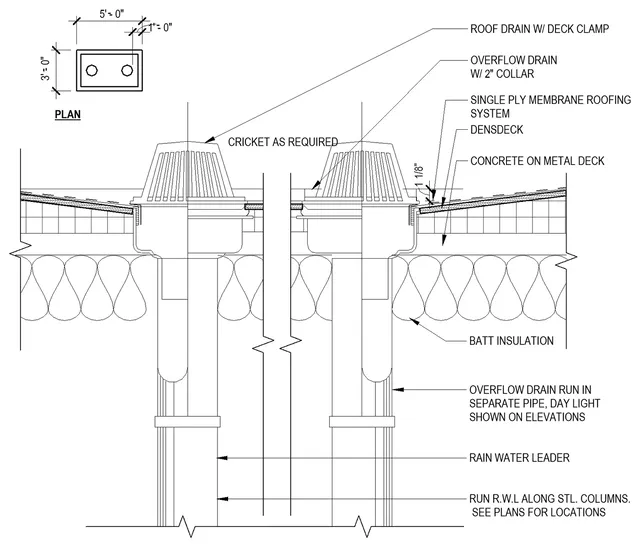
AI-powered search
Search by intent, not filename. Every result surfaces similar and related details you didn't think to search for.
- Typical roof drain & overflow96%
- Roof & overflow drains91%
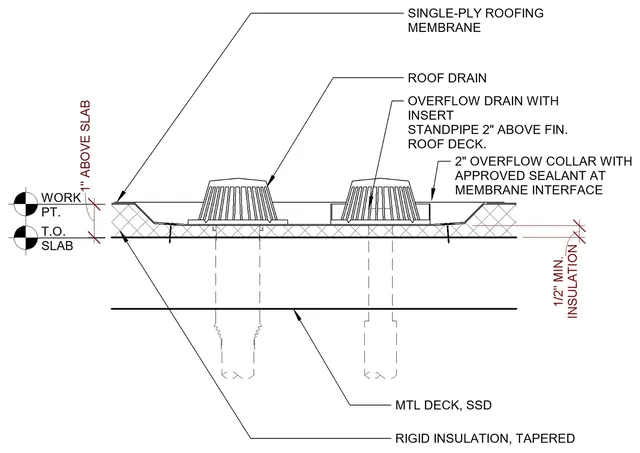
- Roof & overflow drain (PVC)Related
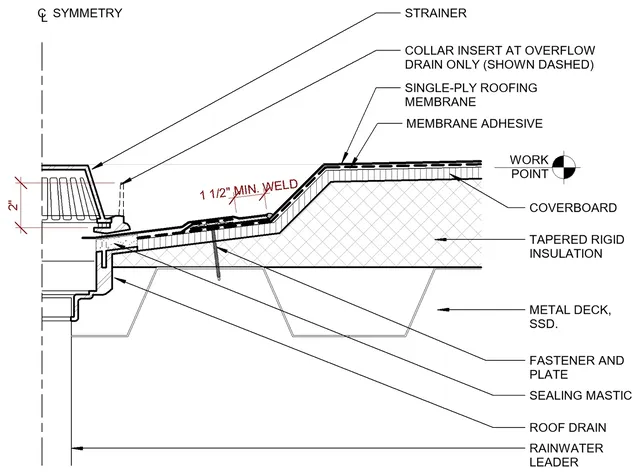
Smart analytics
See which details get used, where, and how often - so governance decisions are based on what's actually happening.
- Typical roof drain & overflow38 projects
- Roof & overflow drains24 projects
- Roof drain & overflow plan15 projects
- Roof & overflow drain (PVC)6 projects
One project.
All the right details.
A cartoon set is a folder of firm details nominated for a project.
- AI creates the cartoon set
- Customize it for each project
- Bring it into production in one click
97%94%88% 81%
From library to project documentation.
Put the details you trust to work without leaving Revit.
 Autodesk Revit 2026 - [Archiboost Office.rvt - Drafting View: A840-04 - Typical roof drain & overflow]
 Archiboost
See what Archiboost has done for other firms
details made searchable
faster at documentation
or less to set up your library
Firm knowledge, ready to reuse.
The Detail Library puts historic and standard details at our fingertips in seconds, all fully editable in Revit. It’s made finding and adapting details so much easier, and the cartoon set feature is a game changer for our workflow.

James LeVieux
Director of Digital Technology
EDG Interior Architecture and Design
Archiboost made details from our firm’s 20-year history accessible through one searchable repository, with minimal setup on our end. The user access controls and Revit plugin make organizing details and bringing them into projects a breeze. It’s greatly simplified how we manage and maintain our detail library.

Jason Halaby, AIA, LEED AP
Senior Associate / Director of Design Technology
WRNS Studio